
Realtime Sky Builder
Skies, clouds and weather you can direct shot by shot.
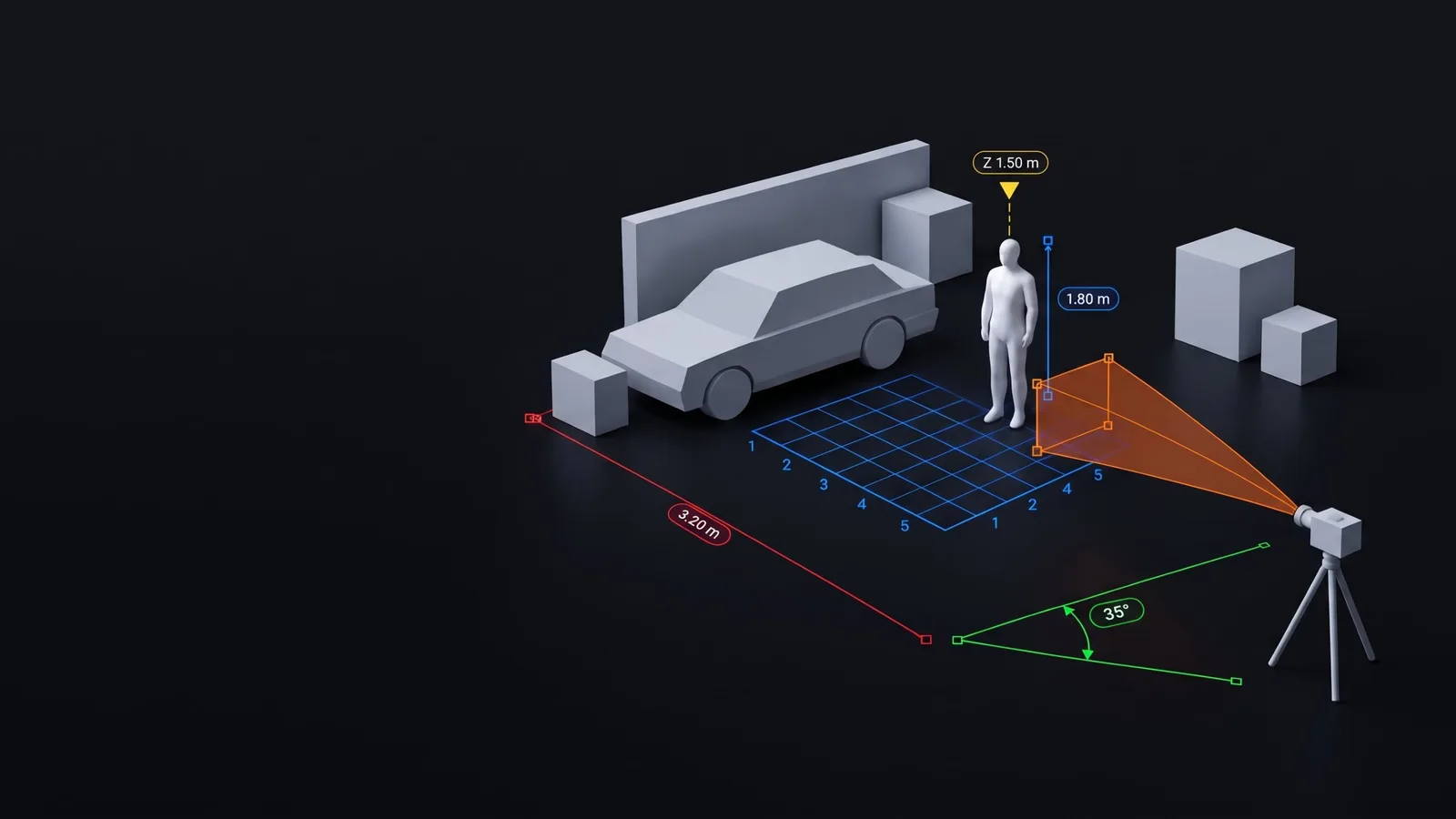
Measure, annotate and dimension in the Unreal Editor
Eight measuring and annotation tools that live in your level and show up in your renders. Check a stair rise, dimension a room, mark a camera's view or read the speed of a moving actor, without leaving the viewport.
Made for architecture and archviz, level design, product visualisation, techvis and previs.
No. They're editor-only actors, so they never end up in a packaged game.
Yes, by default. They appear in Play, Simulate, Game View and Movie Render Queue renders, labels included, with nothing to set up. To keep a tool out, turn off Show in Renders on it, or use the Display Manager to leave it out of a particular camera's renders.
Vertices, edge midpoints, edges, surfaces, the editor grid and the points of other tools. Skeletal meshes, landscapes, spline meshes, BSP and meshes over 2 million triangles snap to their surface only.
Unreal Engine 5.8 on Windows. There are no assets to import and nothing to set up: enable the plugin, restart the editor and start measuring.
Yes. It's a separate plugin, so you can enable both in one project. Ctrl+Alt+M stays with Snap Measure, and you can give the toolkit its own key in Editor Preferences > Keyboard Shortcuts > Snap Measure Toolkit. Measures made with Snap Measure aren't converted.
Yes. A tool can attach to an actor, a socket or a bone, and most of its values can be keyed in Sequencer. Bake Speed and Bake Trajectory give exact values when you scrub, play and render.
Yes. Click a tool's Display Badge in the viewport, or use the Display Manager, which has a column for every viewport and camera. A camera's choices are saved on the camera, so they travel with the level and apply to its renders.
Lengths in mm, cm, m, km, in, ft, yd and ft-in. Speeds in cm/s, m/s, km/h, ft/s, mph and knots.
Yes. Saved styles live in Config/DefaultSnapToolkit.ini, so submit that file to source control and everyone gets the same list. Share Style also makes your current look the team's starting look.
Yes. Use the Dimension String and Room Area presets, architectural tick end shapes, and units including ft-in. Measures and labels appear in Movie Render Queue renders, so they can go straight into client stills and walkthroughs.
Skies, clouds and weather you can direct shot by shot.
Real places as true-scale Unreal landscapes, without leaving the editor.
Fast, precise measuring in the Unreal Editor.
One email when something new ships. Nothing else.
Signups open soon.
You can unsubscribe at any time. We only use your email to send these updates.

